Haboon Orbs
WoW addonYour health and power as living liquid, in ornate orbs, potion bottles and vials, the way I wanted them in World of Warcraft: Forever. It started inside HaboonUI and now stands on its own: nothing else to install.
Your health and power as living liquid, in ornate orbs, potion bottles and vials, the way I wanted them in World of Warcraft: Forever. It started inside HaboonUI and now stands on its own: nothing else to install.
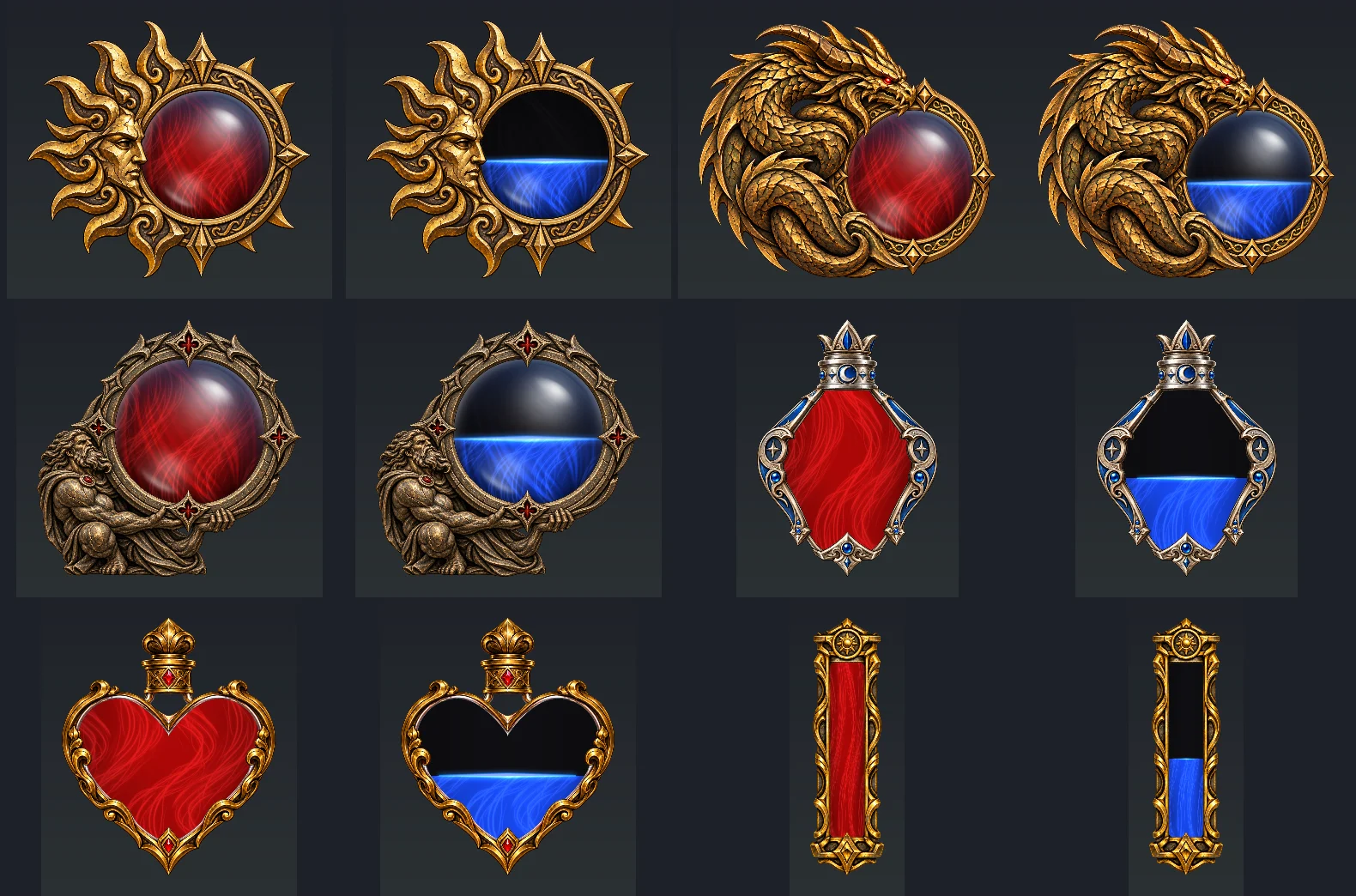
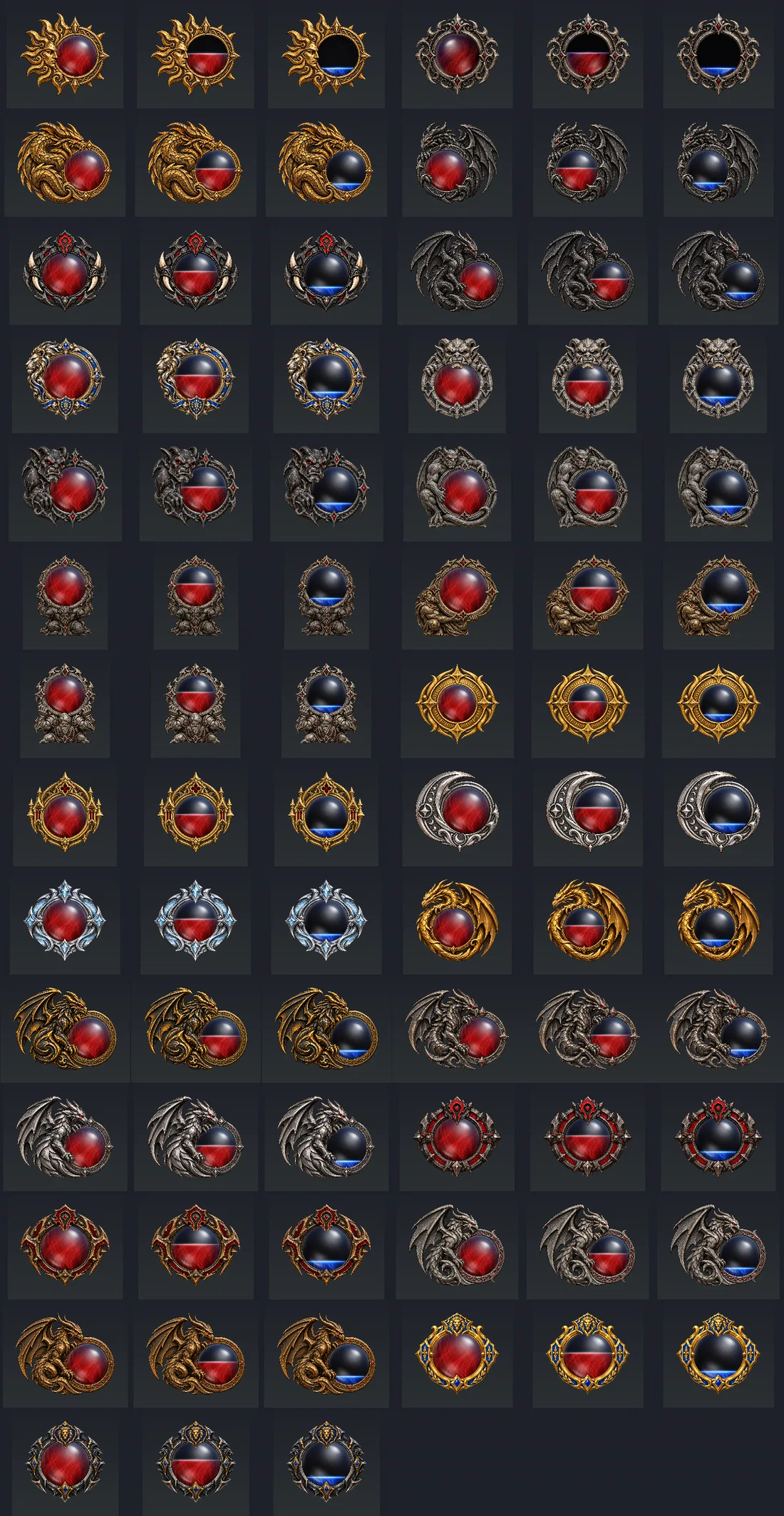
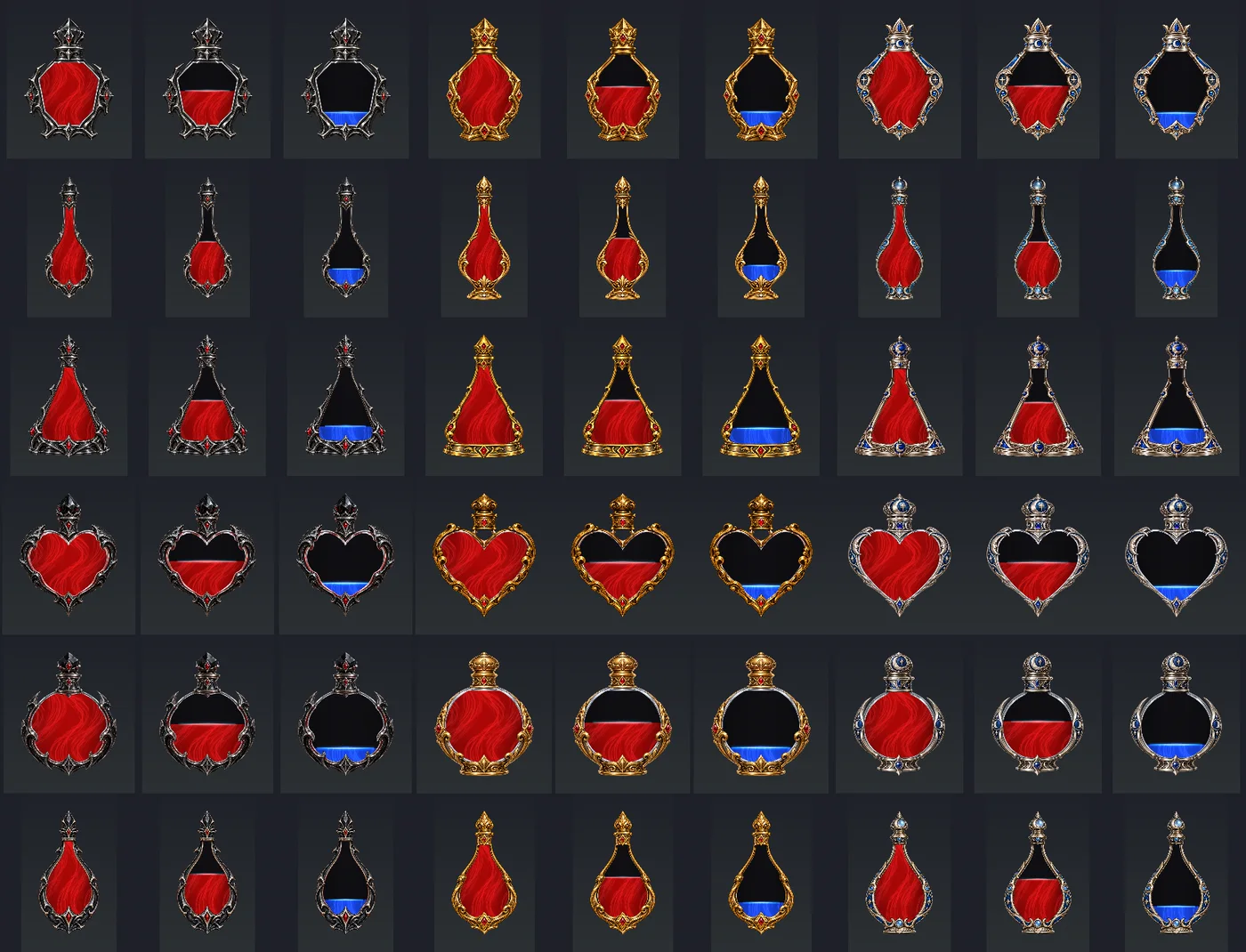
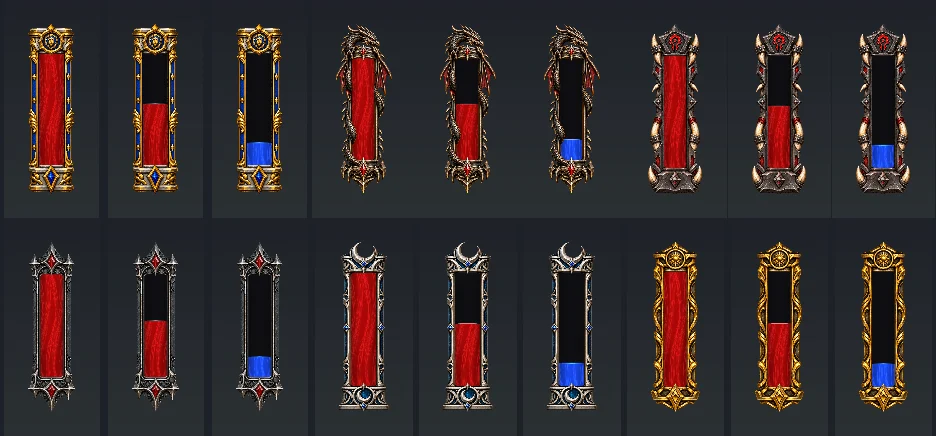
One orb for health and one for power, each in any of the 51 looks, filling and draining as the fight goes. Everything is set from one settings window, and you can see every choice before you make it.
Every look shown full, part full and nearly empty. These are previews rendered from the addon's own art, so the liquid stands still here; in the game it moves.


On a fresh install both orbs start off, so nothing on your screen changes until you choose it.
Newest first, with the full notes for every version. The newest is 1.1.1. Open a version below to read all its changes.
Reload the UI after updating from 1.1.0. If updating from an earlier version, fully restart the game to load the new animation textures.
Fully restart the game after updating so the new animation textures load. Open the minimap button > All orbs > Liquid motion to try them. For the quietest Dark glass look, turn bubbles and sparkles off.
/horbs.MyUI_OrbsDB settings, selected looks and positions carry over. The addon folder remains MyUI_Orbs; new installs start with both orbs off.Restart the game after installing. Click the minimap button and tick Health orb and Power orb on their tabs to turn them on.
Free, on CurseForge. It works on its own, or alongside HaboonUI.
Haboon Orbs is made for World of Warcraft: Forever (client 1.60.1) and doesn't load in Retail, Classic Era or the other Classic versions. If something breaks, turn on Lua errors with /console scriptErrors 1 and send me the error through the feedback form or the CurseForge comments.
Until HaboonUI 1.2.1 the orbs came inside it. Update HaboonUI first, then install Haboon Orbs and fully restart the game; your last looks, colours and positions carry over. Installing by hand, replace the old MyUI_Orbs folder with the new one.
Install it with the CurseForge app and it keeps itself up to date, or download the zip from the project page.
Get it on CurseForgeUnzip the download into Interface\AddOns in your Forever folder, inside World of Warcraft, then restart the game. The folder is called MyUI_Orbs on disk; in game it's Haboon Orbs.
All filesHaboon Orbs is fan-made and isn't affiliated with or endorsed by Blizzard Entertainment. World of Warcraft is a trademark of Blizzard Entertainment.